Timaeus 9 Pro Astrology Software
Introduction to Timaeus 9 Pro
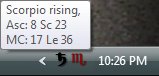
 Timaeus is a system tray application that runs in the background and shows the passage of the planetary hours and the current rising sign as tray icons that change over time according to astrological conditions. It is like having an "astrological weather forecast" on a continual basis. Timaeus also alerts you with user defined sounds when the alerts you set are triggered or a planetary hour changes. These alerts can be set for planetary positions at a given degree or for when a given planet crosses the horizon and meridian angles. Typically these are most useful in horary astrology (for the judging of questions) and electional astrology (for selecting the right time to do something important). Timaeus is also capable of monitoring natal charts, finding transits and various types of progressions to natal positions and gives interpretations in what could be called an advanced daily horoscope. When you hover the mouse over the icons, a popup hint appears showing the current hour lord, time elapsed and time remaining in minutes, and the ascendant and midheaven degrees. Timaeus not only runs in the background, but you can bring it into the foreground by double clicking (or right clicking for a context menu) which will by default show the transiting chart for the moment set for your current location on the Monitor tab. From there you can compare natal to transits, various progression types, run the graphic ephemeris, rectify the chart, animate transits and progressions, print chart wheels and generate Acrobat reports for various chart analyses. If you're not sure what you need, there is a software feature matrix to help you understand the differences between Timaeus Pro, Delphic Oracle XPF and Delphic Oracle WL.
What's new in Timaeus 9 Pro?
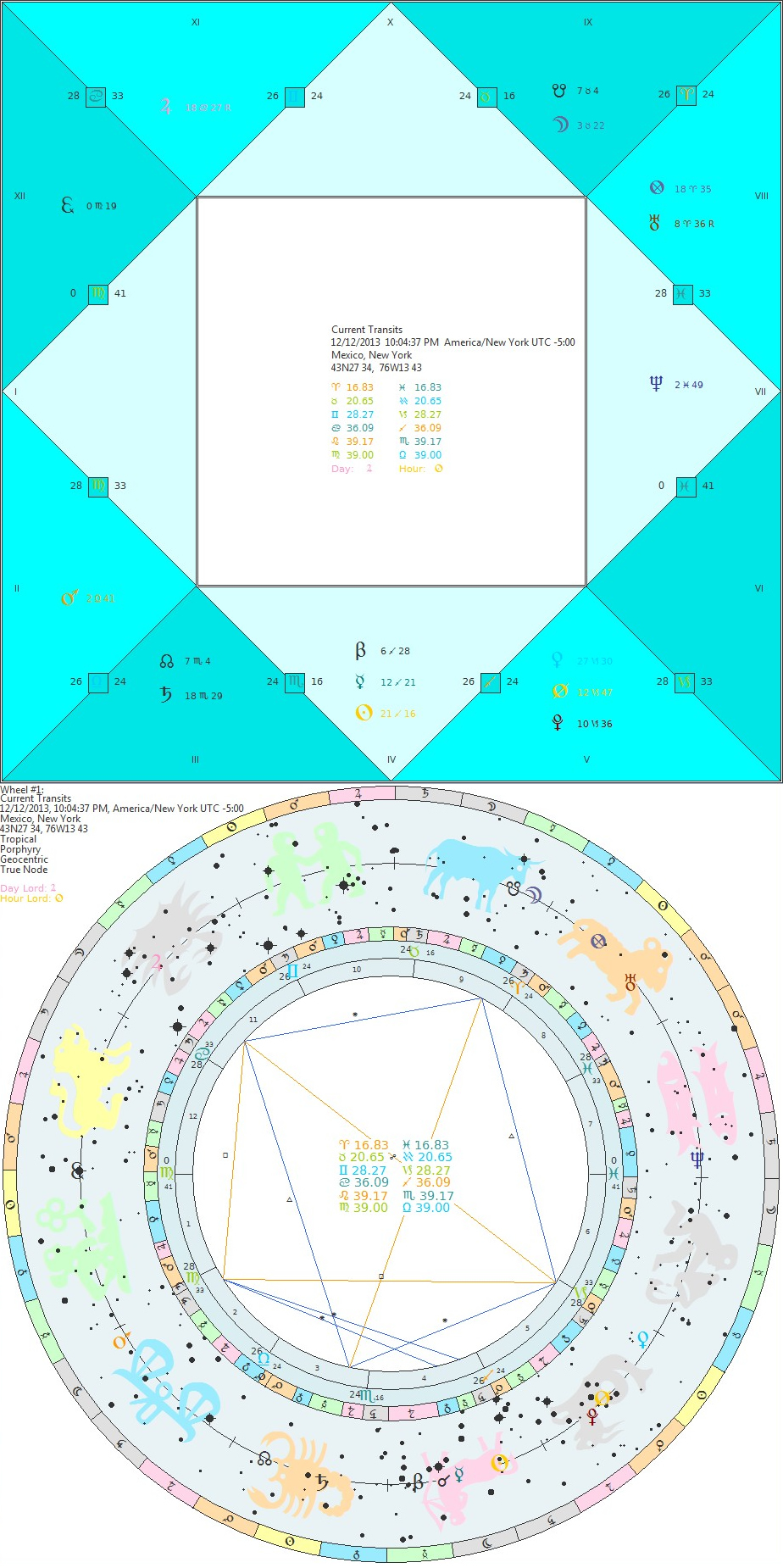
 At this point, Timaeus has many of the same display capabilities that Delphic Oracle 7 has (including the new Hellenistic and Medieval Views) with an improved Chart Designer which allows display of the fixed stars available from the Swiss Ephemeris / SIMBAD database and GUI Styles. The new Nakshatra, Navamsa, Dwad, Bound Wheels, etc are all included. It has optimized animation forward and backward in time which allows for easy spotting of good electional charts and can instantly display a horary simply by double clicking on one of the system tray icons. Display types can be changed on the fly by right clicking on a chart and selecting a new display type from the saved Wheel Themes. One can also change visibility of planets, which glyphs to use and colors in the same way and the results are instantly displayed allowing you to save the current pattern or change to another. There is no need to enter chart data every time you want to see what is going on in your chosen locations which are displayed on the Monitor tab, all you need to do is double click! Timaeus also includes live data which gives automatic comparison between charts and the ability to display up to 5 charts in a single wheel simply by clicking on the Graphic Ephemeris, or in one of the lists such as Primary Directions, the Al-Firdaria, etc... There have also been expansions to the Medieval Group, especially in the area of Primary Directions which match the capabilities within Delphic Oracle 7.
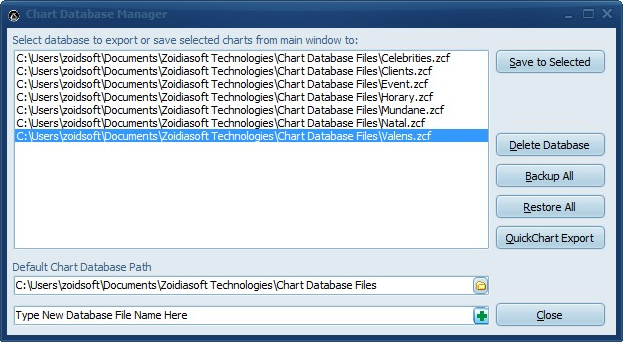 Timaeus 9 Pro also works more closely with Delphic Oracle 7 by being able to share the same chart databases. Charts that are saved in either program are visible to the other by default. It is not required this be the case if for some reason you want them separate, you simply add a blank database to one program and not the other. There is also the ability to import and export from QuickChart format which is used by all the major astrology programs. Also, if you have Delphic Oracle installed, you have the choice of running that from the system tray (by double clicking on the planetary hour or rising sign icons) instead of Timaeus for current chart displays.
Timaeus 9 Pro in more detail...
 The Medieval Group has been expanded and hundreds of different options grouped by author in both the Main Options (F3) and System Settings (F5). These include tables for examination of essential dignities and almutens for each of the houses, the almuten figurae which not only gives the planet, but gives all the weight tabulations, Bonatti's degree attributions (masculine, feminine, bright, dark, smoky, empty, welled, azemene and degrees of increasing fortune) for use in Horary and planetary hours either according to sect (the planet that goes about) and the hour (the one that executes) and Firdariyyah with different calculation scenarios based upon sect, where to put the nodes, etc...
The Main Options comprise more than 130 separate settings. Primary directions alone have a total of about 100 different settings (adding the fixed stars brings them to over 1000). The Solar Revolution method based upon Umar Al-Tabari has been included at the request of Benjamin Dykes, PhD and can do comparisons of solar returns to natal or distribute solar return positions to itself.
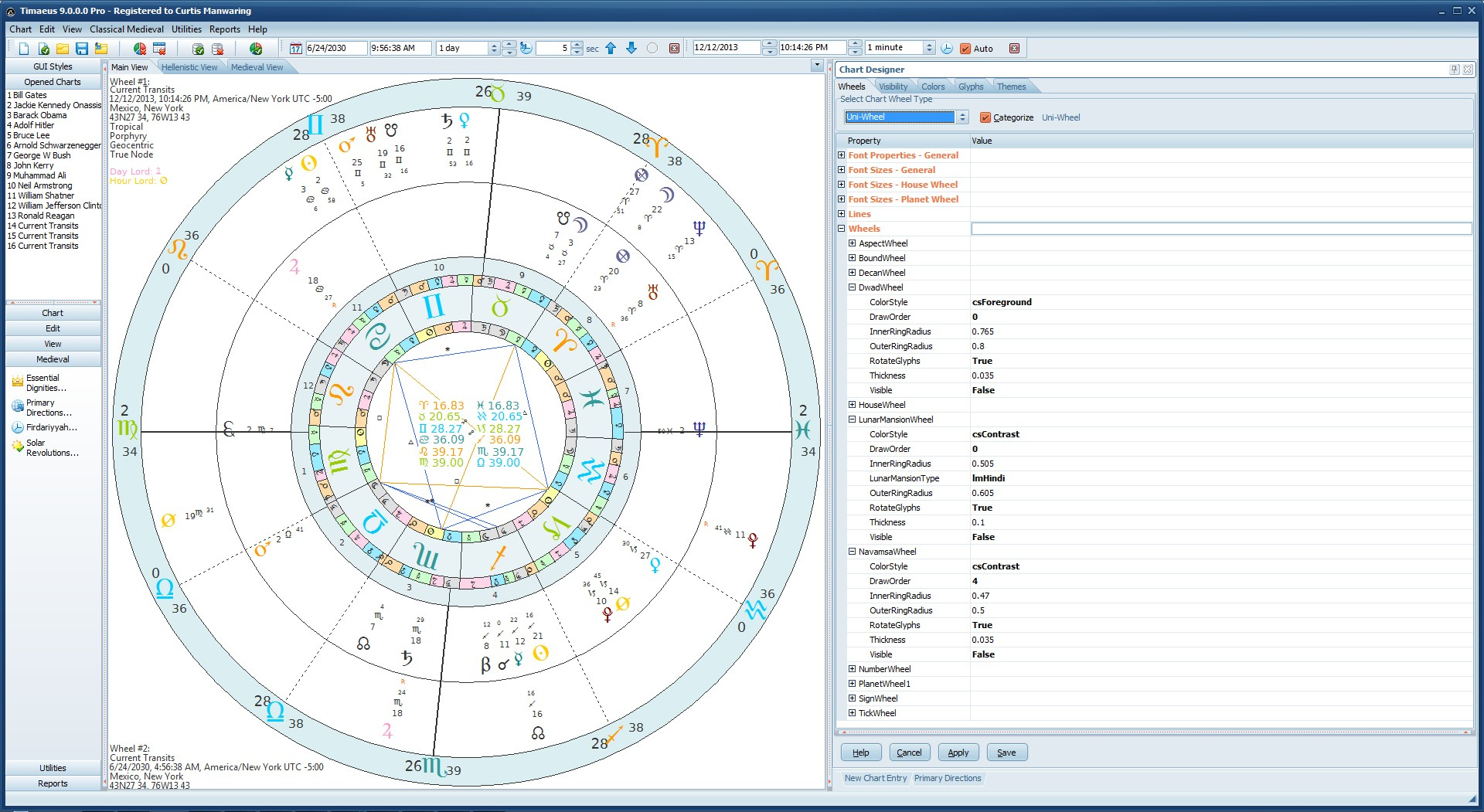
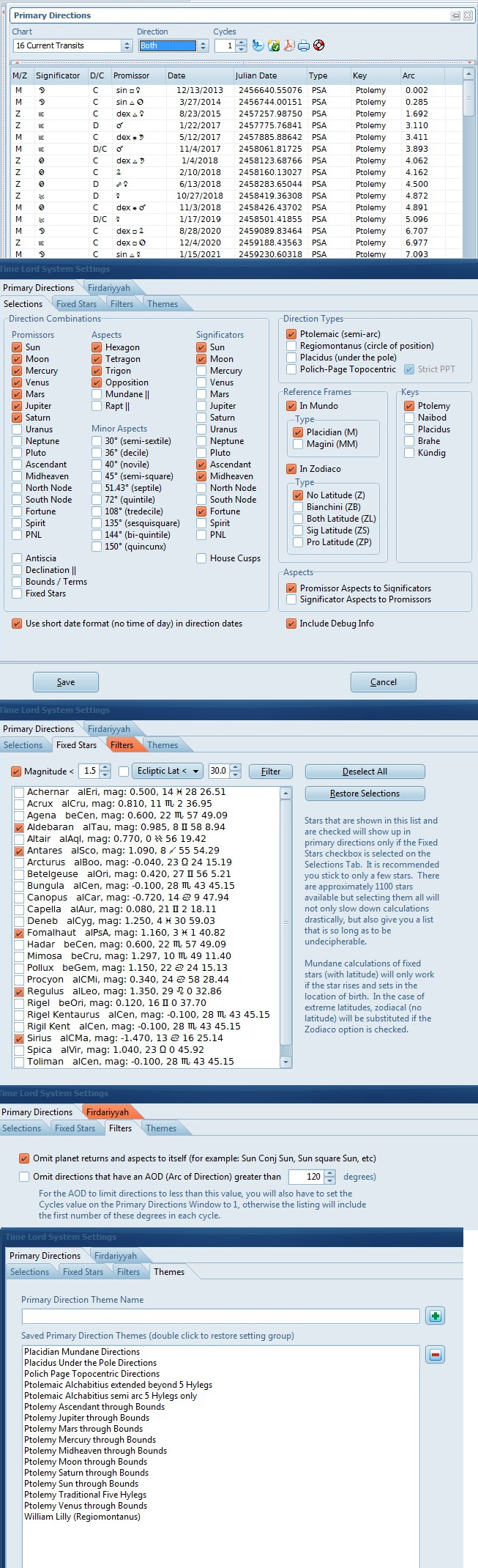 The Primary Directions module is based upon Martin Gansten's PDDC Course from which I am a graduate. They closely follow his conventions such as labeling the difference between traditional converse and neo-converse directions and more importantly they stick to traditional conventions for labeling the significator and promissor. All of the direction types of antiquity up to the early modern era are covered; Ptolemy (semi-arc), Regiomontanus (circle of position), Placidus (under the pole) and even Polich-Page Topocentric in both mundane and zodiacal direction types (and various mixed latitude options and keys). Of the special types of directions, mundane, rapt, declination parallels and antiscia are included and also one can direct several significators through the bounds.
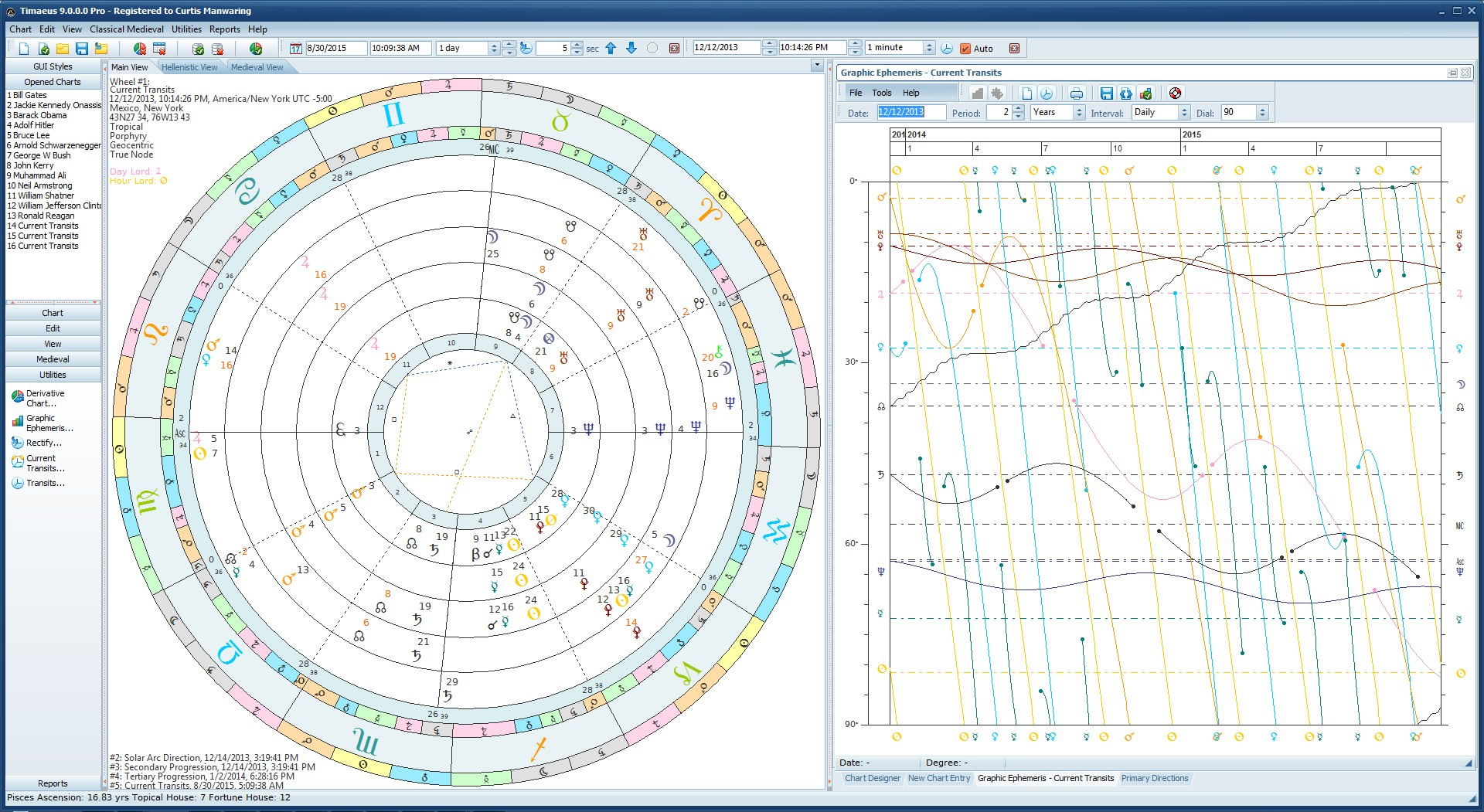
The options are quite broad which can be seen in the graphic at left. Over 1100 fixed stars (you can filter by magnitude and ecliptic latitude or declination, the beginnings of filtering redundant directions and several historical usage themes which the user can add to. Unlike most software, the calculation range is in the neighborhood of 5400 years (15 cycles of 360 degrees) suitable for use in mundane astrology. There is a progress bar and cancel button for these longer calculations and it is on a separate thread to avoid hanging the application.
This is also set up with live data which allows one to click on a direction under the M/Z column and see any number of user defined charts as specified on the Options | Generated tab after pressing F3 (Main Options). As in Delphic Oracle, one can drag the splitter down and click on any direction to see the internal debug data for those who are mathematically proficient and want to check the calculations.
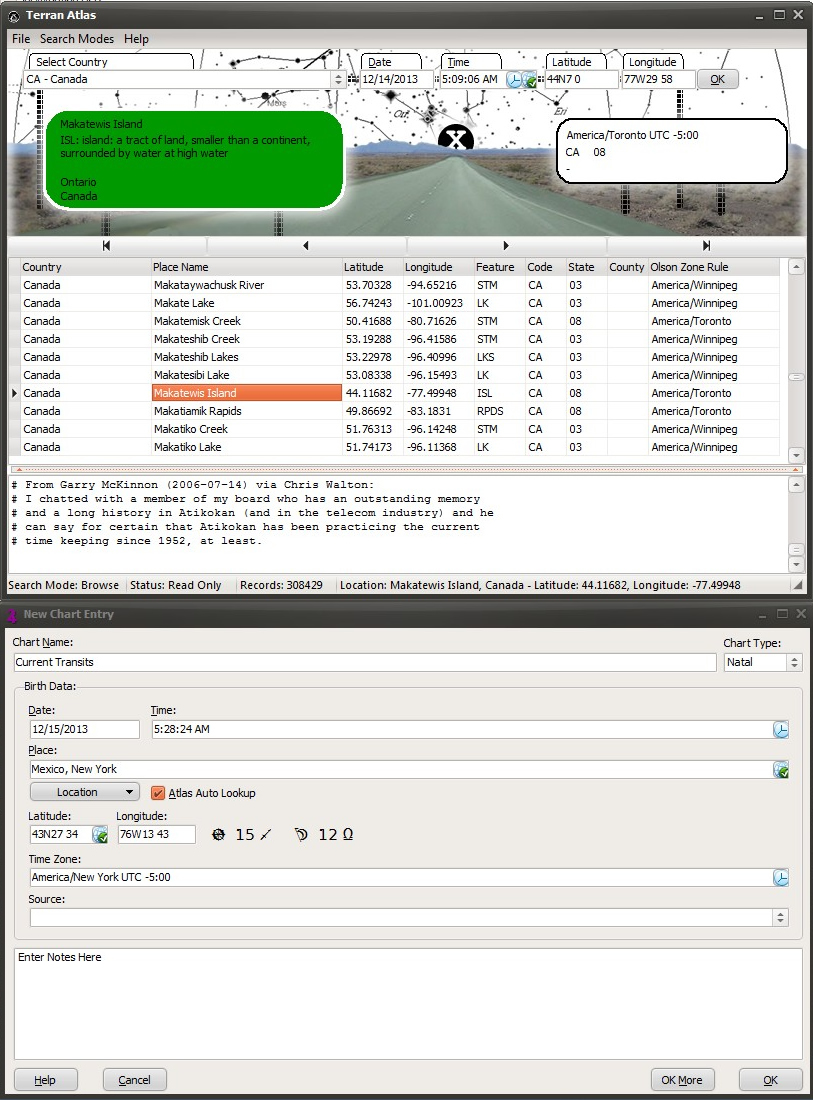 Timaeus 9 Pro includes the Terran Atlas database with 13 million records of places, latitude, longitude and time zone lookup based upon the Olson time zone database standard for 250 countries. It also comes with about 700 location type definitions similar to Google Maps to differentiate between different location types (such as post offices, hotels, restaurants, parks, mountains, lakes, streams, etc...) There are 3 search modes (Filter, Locate and Browse) to cover different search scenarios. It can also work the the stand alone version of the ACS Atlas. The Chart Setup dialog allows for regional differences in setting the date and time and calculates the angles on the fly before committing a chart to the open database. The Chart File Manager allows you to save charts to multiple databases and the user can define their own database names and locations and it also includes backup and restore. Charts are automatically displayed after opening from either the database or after setting up a new chart. The Chart Database allows for searching a single database or global database search and can be case sensitive or not. Pressing F4 brings up the default location dialog which is used for all automatically generated charts and you can save a separate default location for your chart setups .
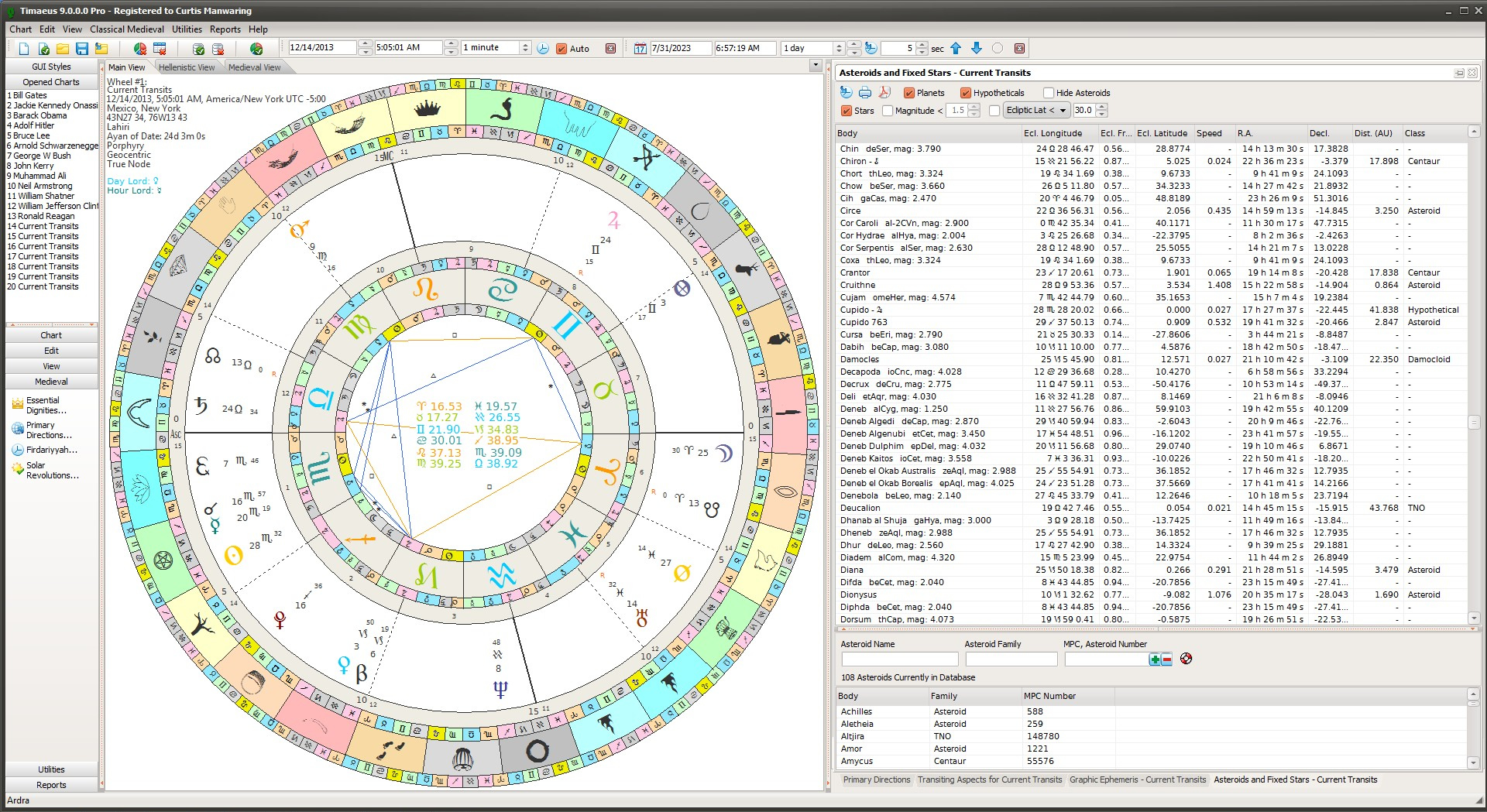
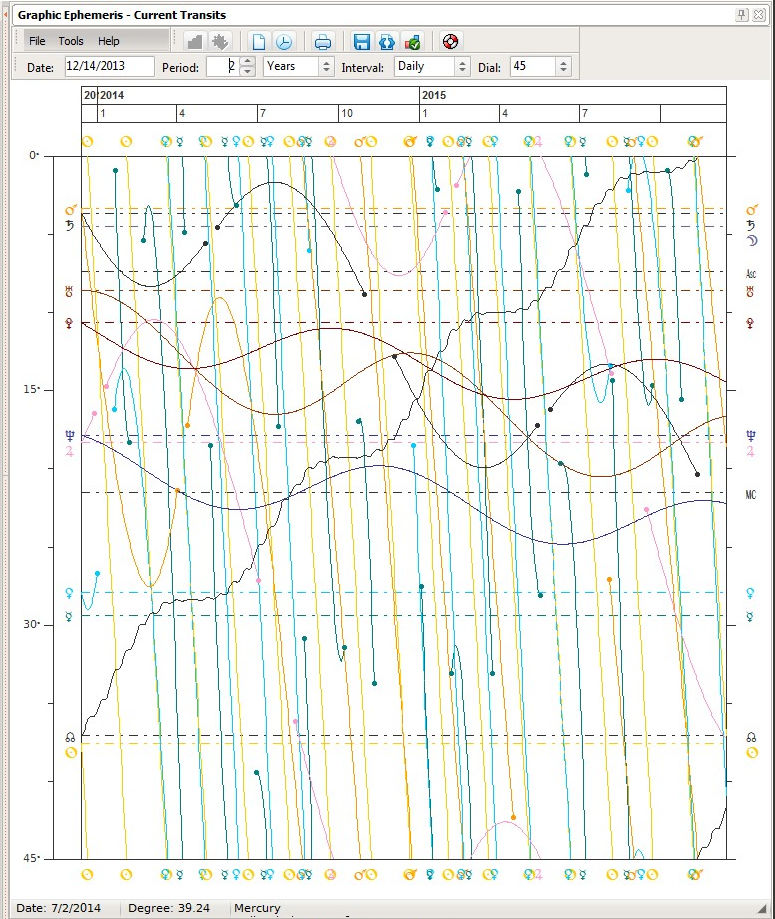 The Graphic Ephemeris has the capability to draw in time spans of as little as 1 month up to 10 years. What makes this graph special is that it shows the heliacal phenomena (both heliacal rising and setting and acronycal) as dots on the screen. These dots will show a hint with statistics when your mouse cursor is on top of it. The graph includes dials in the range of 45 to 360 degrees that allow for easy tracking of harmonics.
The Graph is also contains live data and will show your Autogenerated Charts (transits, progressions, etc) you specify so that you can compare the charts for the time you clicked on to the natal in a flash! Once the chart(s) are showing, you can animate them backwards or forwards in time with either the rectification toolbar for single wheels or the transit toolbar for multiple wheels.
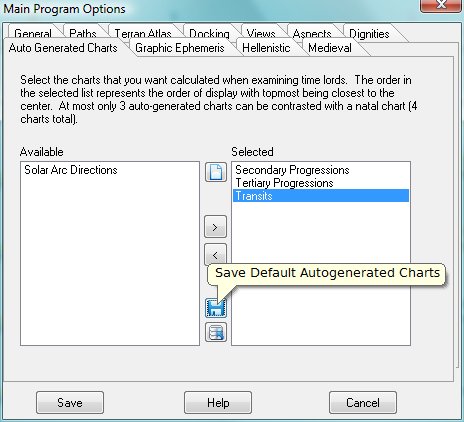 The new autogenerated chart setup allows you to see transits and progressions on the fly with a single click! Simply indicate the order and number by drag and drop from the list of available chart types. The order in the list indicates the order of drawing (outerwheel to inner wheels). This saves a lot of time compared to other programs which make you set up transits and progressions manually. Simply click on one of the interactive windows such as the Graphic Ephemeris or Transits toolbar to get these positions for the dates that you are interested in!
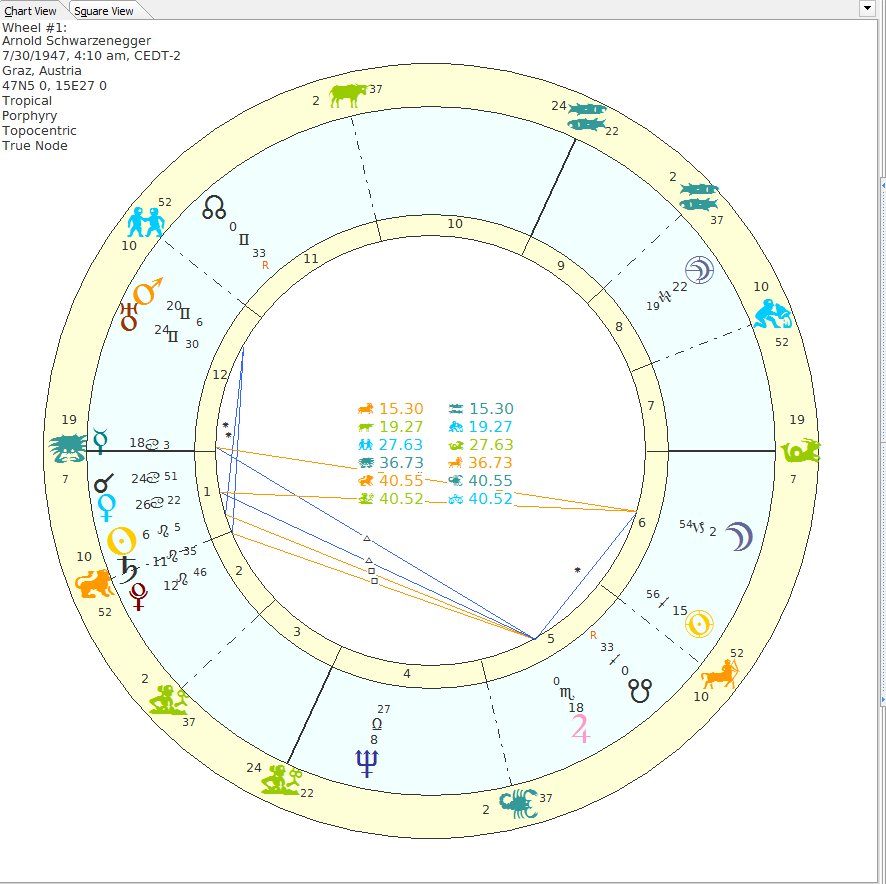 The Modern Wheel Styles are fully customizable allowing you to show bounds, ticks, and even aspect and testimony lines according to the Antiochus Aspect Doctrine, platic aspect lines, etc.
Colors can be chosen for any object displayed in the wheel and saved as a Color Theme. User defined glyphs allow you to switch to your favorite glyph for any given celestial object. There are now 43 different planets / asteroids / points which can be shown in the chart wheel!
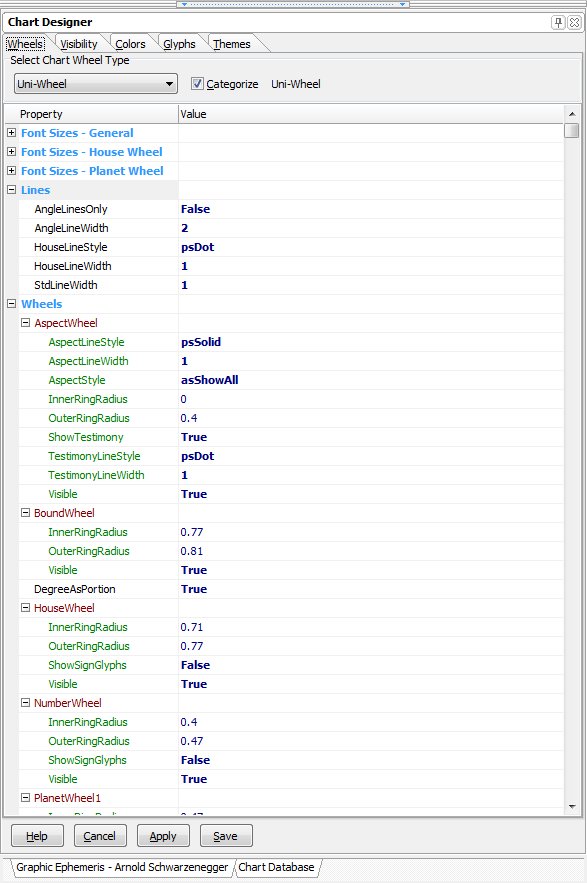 The new Chart Designer is the most sophisticated in the world allowing you to control the visibility, colors, and dimensions of wheels and glyphs on your screen with the ability to automatically scale your fonts. Wheel dimensions for uniwheels, biwheels, triwheels and quadwheels, glyph colors, glyph characters and glyph visibility all have grouped settings known as Themes that allow you to bring back your themes with a single click!
Wheel Categories allow you to quickly redesign your own wheel types and see the results immediately by redrawing the chart type you are working on. There's no need for clumsy wheel definitions, simply save a wheel theme on the Themes tab when you have made your settings.
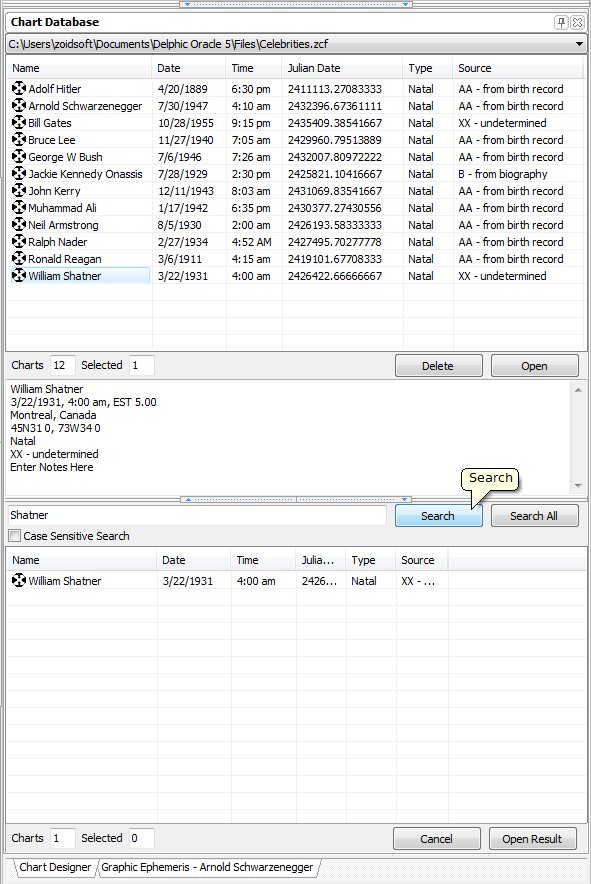 New data entry and chart database capabilities. You can create your own databases and group them together such as horary database with the name horary.zcf for all of your question charts, celebrities.zcf for famous people, personal.zcf for charts that are private and so on (this is also a good way to keep personal charts private).
The chart database is searchable and you can do case sensitive searches or limit your searches to a given database or search all databases at once. The data entries can be sorted according to alphabetical order, dates and chart types depending upon the column header you click on. The new data entry window allows you to enter notes about the chart, show accuracy of the birth info, etc.
Terran Atlas View

Jyotish View
Graphic Ephemeris View
Fixed Stars View

Primary Directions View
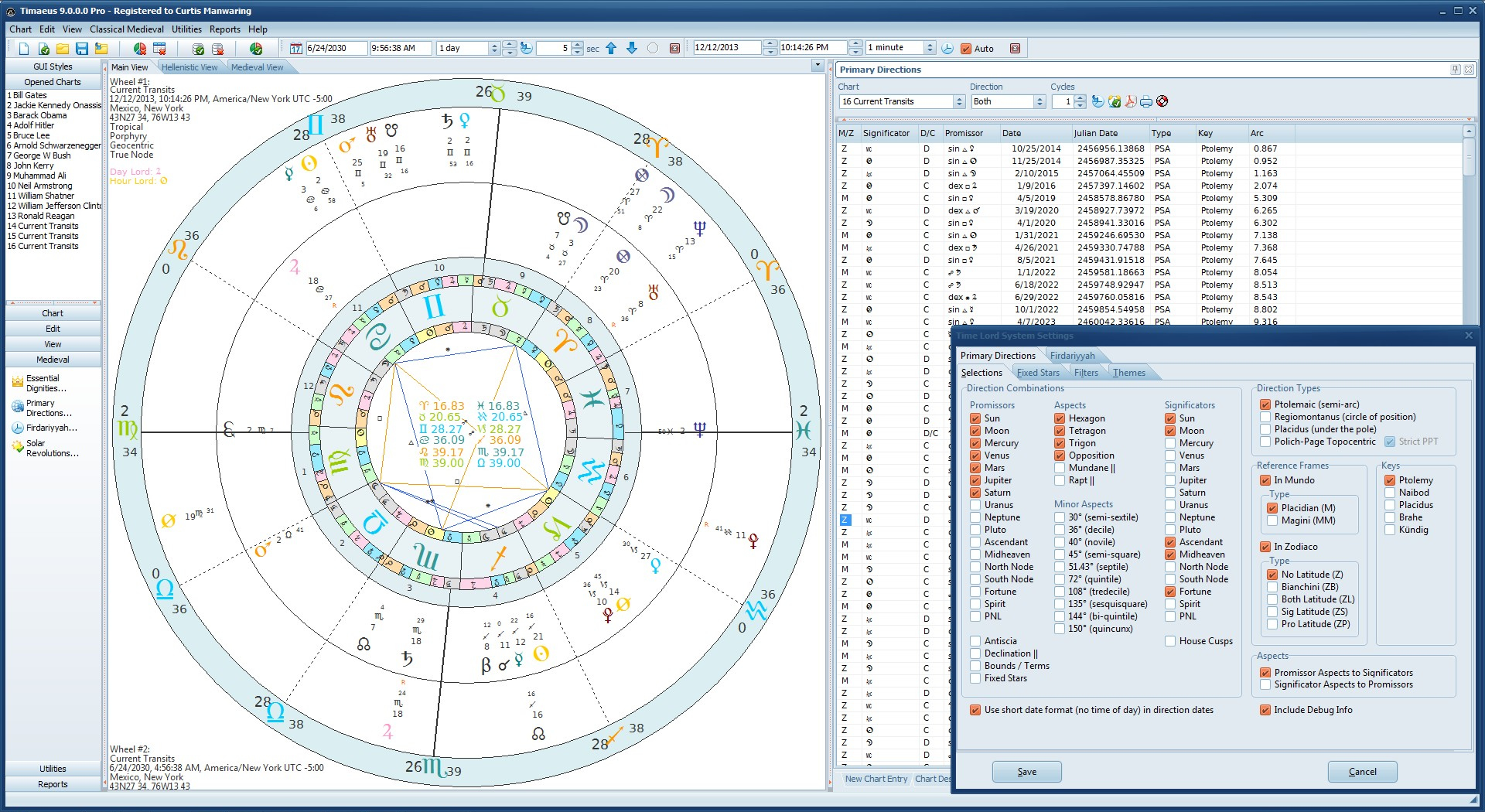
Chart Designer View
Medieval Square View

Hellenistic Square View
Other Highlights
- Reports for dates of heliacal rising and setting within 7 days of the birth date, a listing of arabic parts, planetary speed, 12th parts (dwadasamsa, dodekatamoira), monomoiria, Valens eminence indicators and more...
- Includes the ability to print all charts and graphs in the same way Delphic Oracle does and can also generate Acrobat files for charts and data calulations such as primary directions, almutem figuris and essential dignities, degrees, asteroid positions, planetary declinations and parans, etc...
- Includes optional user defined docking for all windows so you can control whether a window docks or floats. When floating, windows remember their size and position on screen even between program restarts.
- Generates HTML reports of your charts with essential dignity tables, lot positions, eminence indicators and more; this is especially helpful when building a website.
- Chart Orientation capability that allows you to display fortune houses with the part of fortune as the ascendant in 3 different modes (0 degrees, 15 degrees or exact degree of fortune sign). The same can be done with whole sign houses from the ascendant.
- Displays chart ascensional times for the zodiac signs according to Hellenistic tradition (Valens) in the center of the chart wheel or as popup hints when hovering the mouse over signs.
- Popup hints that display the planets statistical details such as, exact position to the 100th second of arc, domicile, exaltation, triplicity, bound and decan lords as well as planetary sect, the winds of the planets and their chariots.
- Calculates Derivative Charts such as solar returns (both modern and Hellenistic), lunar returns and planetary returns out to pluto for up to 100 cycles from the search date forward or backward in time. Also calculates the 3rd, 7th and 40th day of the Moon charts according to Hellenistic tradition.
- A user defined asteroid database that is capable of calculating sorted asteroid data for all asteroids where Swiss Ephemeris files exist (there are currently over 200,000 asteroids files in the Swiss Ephemeris database).
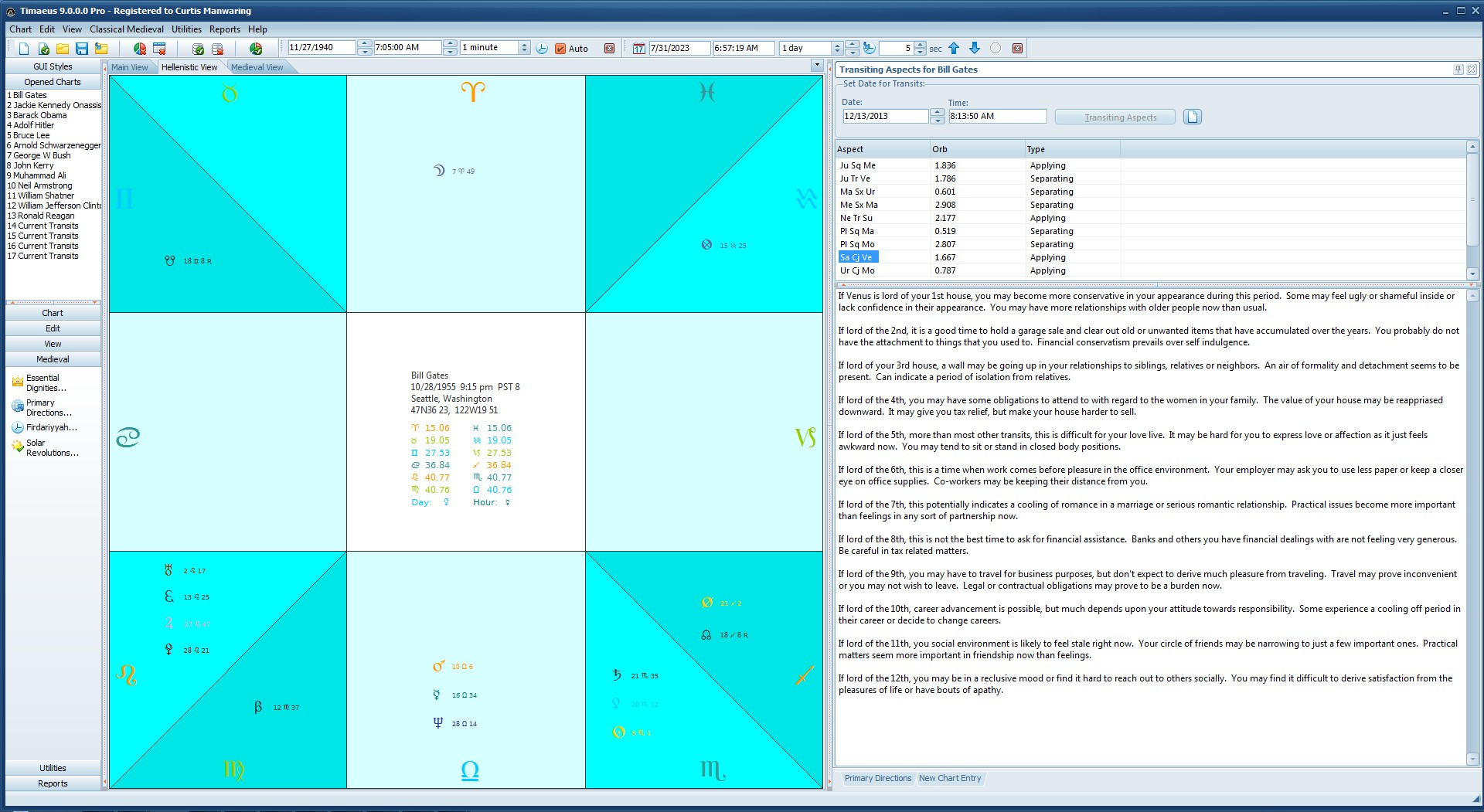
- Transit delineations based upon your birth chart with interpretations using local determination with over 5,000 delineations of planets as lord of a given house or in a given house.
- Chart rectification and transit animation toolbars allow you to watch planet positions change over time animating the natal chart or transiting charts by user defined increments.
- Planetary hour and rising sign glyphs that shows the current hour and rising sign in the system tray. When you hover your mouse over the glyph, the time elapsed, time remaining (in minutes), ascendant and midheaven degrees show in a popup hint. Double clicking on the glyph can be set to show a chart of the current sky positions, celestial statistics, or a schedule of planetary hours.
- Customizable alerts that play a *.wav file you specify to alert you when a planet or degree crosses one of the 4 angles in real time.
- Swiss Ephemeris level accuracy. Timaeus uses the Swiss Ephemeris which is one of the most accurate planetary calculation engines in existence and has a range of 10,110 years (can calculate birth charts between Jan 1, 4713 BCE - Dec 31, 5,399 CE).
- Online help files. Timaeus comes with help files for practically every situation you will find yourself in while using it.